Peer reviews happen during the last course week (downloading, reviewing and grading is possible only during the final week)
Login to Oamk’s and University of Oulu Moodle with Haka login and use workshop tool again to download, review and grade two randomly assigned student submissions.
Note: When writing your peer reviews, write your text to Microsoft Word or some other local text editor first and then copy-paste the reviews to Moodle workshop tool text box. Verify that your peer review was saved successfully to Moodle.
Study and compare answers to the questions and to your own answers. Be polite, fair and objective when leaving comments to your peers.
Study and review if the answers:
And consider if answers and learning diary overall:
Look this assessment framework with competence levels 1 & 2 (B.Eng level courses). Master courses are competence levels 2 & 3.
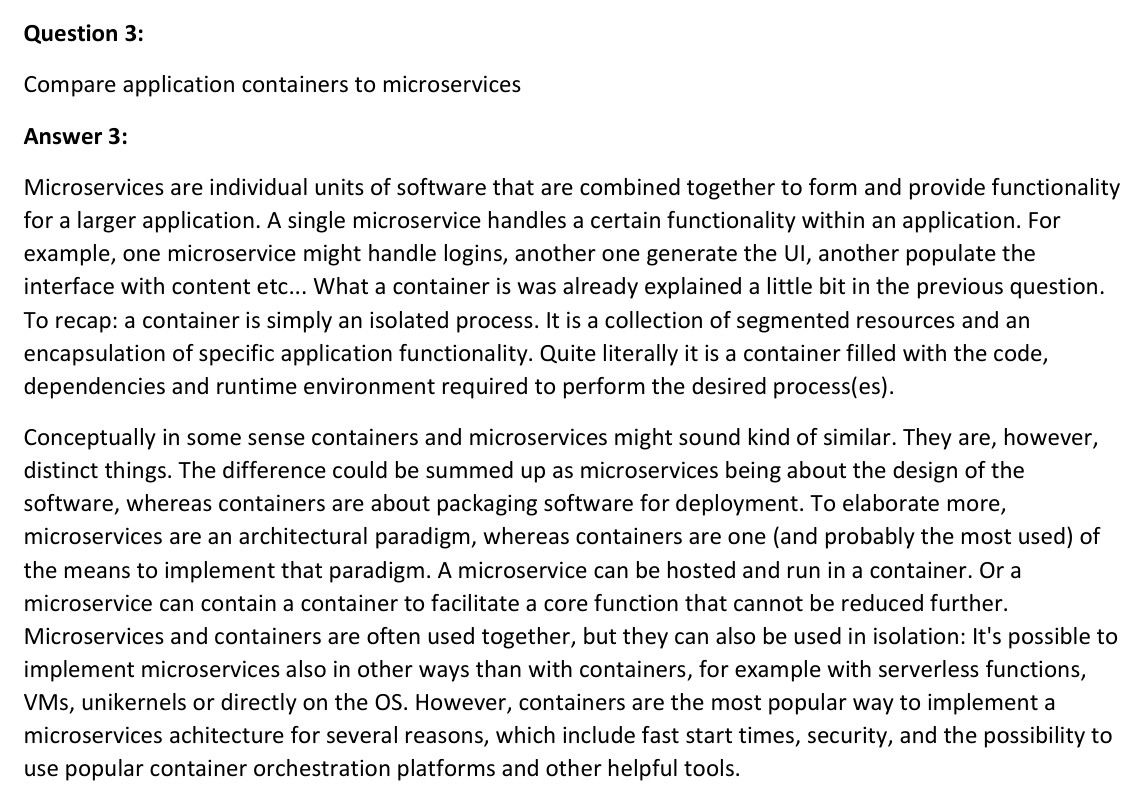
This is an example of good answer. Answer is not too short (or long) and demostrates that the students has researched and understood the question and concept(s). Possible references can be in the end of answer or in the end of learning diary.
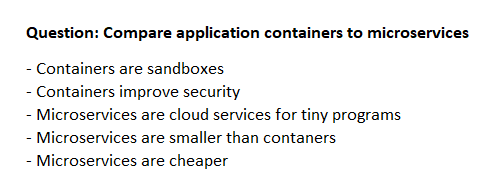
This is an example of a bad answer. Answer is very short, vague and does not use example(s). It is impossible to tell whether the student knows the fundamentals of the topic.
Second bad answer example as it is just a basic list of things. Listed contents are short, do not really explain and reason anything, and again, it is very hard or impossible to tell whether the student knows the fundamentals of the topic.
See course spesific instructions in the course web page!
After you have reviewed and graded two documents from your peers (Moodle will randomise submissions), the course (or part of a larger course) is finished and the teacher will inform you via email when grades have been set to the Peppi grading system.